Can You Leave a Robot Pool Cleaner in the Pool?
It finished its cycle. You were busy. You left it in the water. Here's what's actually happening to it - and how to keep a $500-plus robot running for years instead of one season.
The short answer is no - you should not leave a robot pool cleaner in the pool between runs. Every major manufacturer, including Dolphin, Polaris, AIPER, and Beatbot, explicitly recommends removing the robot after each cleaning cycle.
But the longer answer is worth understanding, because "it'll be fine overnight" is how pool owners end up with a $700 robot that fails in year two instead of year five. Here at PoolBotLab, we've tracked the real-world failure patterns, and the damage from extended submersion is one of the most consistent ones we see.
What Actually Happens When You Leave It In
Robot pool cleaners are built to be waterproof - but waterproof for a cleaning cycle is very different from waterproof for continuous submersion. There are four things that go wrong over time:
1. Rubber seal degradation
Every robot has rubber O-rings and seals protecting the motor housing and electronics. Pool water contains chlorine, salt (in saltwater pools), and pH-adjusting chemicals. Continuous exposure to these, especially at the elevated concentrations common in summer, causes rubber to stiffen, crack, and eventually fail. Once a seal fails, water enters the motor housing. That's a repair bill or a replacement.
2. Cable insulation breakdown
The swivel cable is one of the most expensive components to replace on a corded robot. Extended chlorine exposure weakens the insulation, and UV from sunlight on the pool surface accelerates the process. We've seen cables crack and develop micro-splits within two seasons on robots that were left in the pool regularly. A replacement cable for a Dolphin or Polaris model runs $60-$120. It's a preventable cost.
3. Brush and track wear
Brushes sitting in chemically treated water soften faster than brushes that are rinsed and dried between uses. The same applies to the rubber tracks on wheeled robots. These are serviceable parts, but replacing them every season instead of every two to three seasons adds up.
4. Algae and mineral buildup inside the robot
Water that sits inside the filter housing and impeller chamber between runs becomes a breeding ground for algae and mineral deposits. This is especially bad in hard-water areas. The buildup restricts the impeller, reduces suction, and eventually scores the pump housing. Rinsing the robot after every run flushes this out before it sets.
| Component | Normal lifespan (removed after runs) | Left in pool regularly |
|---|---|---|
| Rubber seals / O-rings | 3-5 years | 1-2 years |
| Swivel cable | 4-6 years | 1-3 years |
| Brushes | 2-3 seasons | 1 season |
| Filter cartridge | 1-2 seasons | Less than 1 season |
| Motor (overall) | 5-7 years | 2-4 years |
The One Exception: Cordless Robots During a Run
There's one scenario where extended in-pool time is by design: cordless battery-powered robots that run a full cycle and then rest on the pool floor until you retrieve them. The AIPER Seagull SE ($149.98) is built for this - you drop it in, it runs, it parks. You retrieve it when convenient, within a few hours.
That's different from leaving any robot in overnight or for multiple days. Even cordless robots should be retrieved, rinsed, and stored after their cycle completes.
The Right Routine (Takes 3 Minutes)
Here at PoolBotLab, the routine we recommend to every pool owner is simple and adds years to the robot's life:
- Set a timer when you start the robot. Most cycles are 2-3 hours. Don't rely on remembering.
- Remove the robot promptly when the cycle ends. Lift it out slowly - let the water drain through the filter basket before pulling it fully out of the pool.
- Empty the filter every single time. Even if it looks mostly empty. Wet debris compacts and restricts airflow on the next run.
- Rinse with fresh water from a hose. Thirty seconds over the filter basket and the body of the robot. This removes chlorine and minerals before they can set.
- Hang or store out of sunlight. Every robot comes with a hook or caddy. Use it. UV is as damaging as the water chemistry.
If You Have to Leave It Longer
Sometimes life happens. You ran the robot, got called away, and it sat in the pool for 12 hours. One occasion is not going to destroy your robot. The damage from extended submersion is cumulative - it's the pattern of doing it regularly that shortens lifespan significantly.
If you know you're not going to be consistent about retrieval, the answer is a robot with better sealing and scheduling. The Dolphin Nautilus CC Plus ($849.99) has a weekly scheduler and a track record of holding up well even in less-than-ideal storage situations. The Beatbot AquaSense 2 Ultra ($2,649.00) has the most robust sealing in the consumer market. Neither is built for continuous submersion, but both have more margin than budget robots.
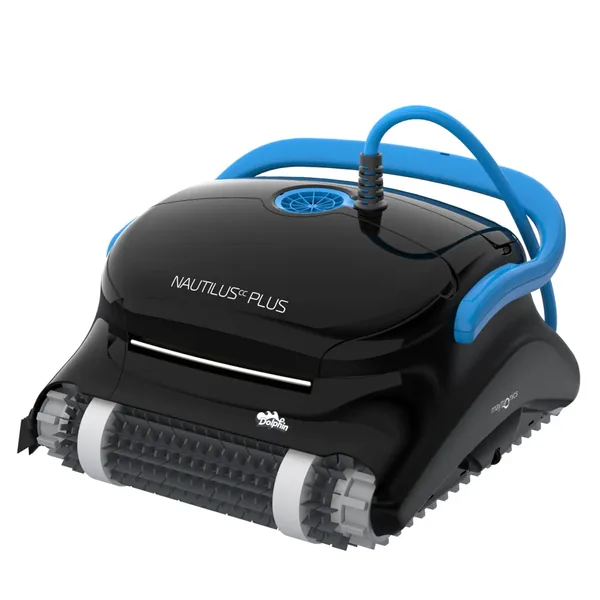
Dolphin Nautilus CC Plus
Built-in weekly scheduler means you can set it to run at a consistent time every day - so you never forget to retrieve it. Trusted by hundreds of thousands of pool owners. Strong sealing, solid warranty.
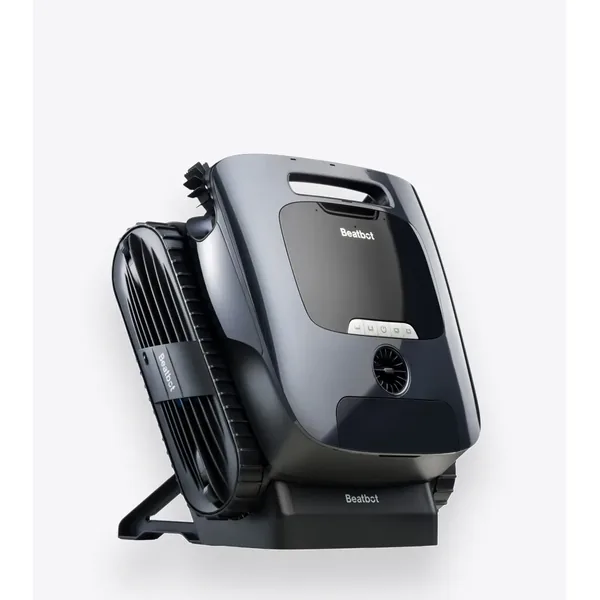
Beatbot AquaSense 2 Ultra
The most robustly built consumer robot cleaner on the market. App-controlled scheduling, premium seal construction, and a design built to handle heavy use. If longevity is the priority, this is the one.
What About Saltwater Pools?
The chemical environment in saltwater pools is different - lower chlorine concentration, but higher salt content. Salt is actually more aggressive on rubber seals than chlorine at standard concentrations. If you have a saltwater pool and you've been leaving the robot in, the seal degradation timeline in the table above is closer to the pessimistic end for you.
Not all robots are rated for saltwater use. If yours is, check the manufacturer's guidance specifically for saltwater storage - some have different recommendations about post-run rinsing for salt systems.
The Bottom Line
- Don't leave it in: Remove the robot after every cleaning cycle. This is the single most impactful maintenance habit.
- 3-minute routine: Remove, drain, empty filter, rinse with fresh water, store out of sun.
- Occasional overnight won't kill it: The damage is cumulative. One slip is fine. Every day is not.
- Use app scheduling: Robots with built-in schedulers eliminate the "forgot to pull it out" problem entirely.
- Saltwater pools: Extra caution - salt is harder on seals than chlorine. Rinse every time, no exceptions.